ocean

匿名

8 月 222009
 

What you can do with GPS Logger?

  • Record your movement (as long as you take your BB with you) 😉
  • Display current Position:
    • Longitude / Latitude
    • accuracy for Longitude & Latitude values
    • # of Satellites
    • current altitude (in WGS84)
    • current course/heading
    • current speed [Ø speed (if available)]
    • travel distance
    • travel time
  • While recording you can mark your current position and specify a note/remark for it
  • While recording you can pause & resume the recording
  • Copy your current location data [Lon|Lat|Alt] into the Clipboard to be able to paste it in a SMS or eMail (or where ever you like) Continue reading »

8 月 222009
 

GPS Logger[100% free 100% offline]
A straight forward application, to record your movement with your BlackBerry® device over time
+ Simple Geocache Application for BlackBerry® devices
+ Outdoor Navigation

I would like to present an application that I have written for all BlackBerry® devices with OS 4.2.1 or higher [successfully tested by other users and myself with 8100, 8310, 8800, 8820, 8900, 9000, 9500, 9530 & 9630].

GPSLogger is a pretty straightforward application. It records your physical movement on your BB device over time, including elevation, speed, and some additional data. GPSLogger can also direct you to a location that you either entered manually or have previously recorded. This is the "Guide me Home" function, which makes GPSLogger usable for Geocaching. As extended functionality to the "Guide Me Home" feature since v1.5 a very easy to use outdoor navigation is integrated into GPSLogger also.

The most important aspect of GPSLogger is that it will work 100% offline – no data will be transferred while you use it.

Core Features of GPSLogger

  • Record your movement over time – the following values will be stored:
    • longitude / latitude
    • accuracy for longitude & latitude values
    • # of satellites
    • current altitude (in WGS84)
    • current course/heading
    • current speed
    • name of location (if specified) Continue reading »
8 月 172009
 

谷歌周一展示了“下一代架构”的网络搜索平台“Caffeine(咖啡因)”,该公司表示,最新搜索引擎的速度更快、更为精确,其搜索内容也较当前的谷歌搜索更为广泛.

谷歌搜索目前在网络搜索市场占据垄断地位,网络流量监测机构Hitwise的数据表明,6月份谷歌在美国搜索市场的份额约为四分之三.以下是关于Caffeine的一些常见问题解答:

问:Caffeine究竟是什么?

答:Caffeine是谷歌目前搜索引擎的修订版本.

问:哪里可以看到Caffeine?

答:谷歌为Caffeine推出了一个网络开发人员预览网站http://www2.sandbox.google.com/,目前该网站仅支持一般的网络浏览器,用户还无法在手机上测试该搜索引擎.

问:Caffeine与目前的谷歌搜索有何不同?

答:搜索引擎本身有部分改变,谷歌工程师重新编写了搜索引擎的部分基础架构,但该公司并未透露具体细节.简单地说,新搜索引擎显示搜索结果的速度更快,而且次序有所改变. Continue reading »

8 月 142009
 

The latest BlackBerry® smartphones come equipped with cameras that include a digital zoom function, a built-in flash and lighting options. They're perfect for capturing spur-of-the-moment events. In this issue of BlackBerry® Connection®, we show you how to take better pictures—and avoid common mistakes—plus provide some additional tips on how to organize, share, and edit your images.

1. Get Closer

While you can capture panoramas with your camera, you'll take the best possible photos by getting close to your subject matter. Go ahead and take a few extra steps toward what you're shooting—the images you capture will be much more engaging.
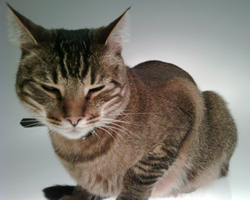

Don't worry about getting an entire person—or animal—in the frame. In the picture on the right, we got in close and captured an image with a much different feel than the one on the left.

2. Hold Steady

Camera shake is the primary reason for blurry photos, whether you're using a cameraphone or a digital SLR. To capture a crisp, clear image, hold your smartphone with two hands or use one hand to brace your arm. If possible, hold your smartphone on top of a desk or other object to reduce camera shake. Continue reading »

8 月 142009
 

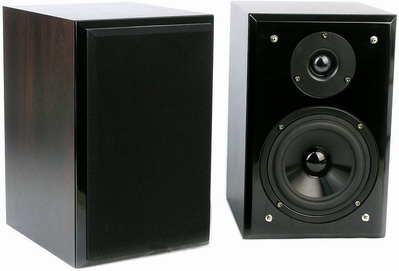
笔者的一个朋友向笔者抱怨一件事:新买了一台2.0音箱,往房间里一摆就放起了喜欢的音乐,可是怎么听都觉得声音没有预想的那么好。笔者实地一看,原来是音箱在摆放上出了问题,可别小看了2.0音箱的摆放问题,也就这很多人不当一回事的问题却对音箱的发挥有着很大的影响。

音箱与环境的关系

     音箱与后墙之间的距离对声场表现的好坏有很大的影响。通常,音箱离后墙较远,重现现场的逼真度较强;若音箱过于靠近后墙时,就容易破坏音色平衡度,就不容易营造出真实的声场表现。另外,箱体距离后墙的多少,也要视具体音箱而定。有些音箱靠近墙壁时可明显增强重低音,使音乐更有力度和量感,远离墙壁时音乐就显得淡薄。但如果箱体与墙壁的距离太近,声音会变得又厚又重,过犹不及。根据一些音响发烧友的经验,欲取得最佳低频响应,音箱与后墙之间的距离应是房间长度的1/3左右(图1),当低音效果不明显时,可以试一试改为长度1/5。

●图1 音箱与后墙之间的距离

     对于低音质感不足的音箱,不妨借助墙壁来提升其低音效果。但朋友的这款三诺N-35G音箱倒相孔位于机箱背面,因此不宜靠墙面太近。

听者与音箱的关系

     要想听到好声音,聆听者应在音箱的正前方,距离应比左右两只音箱的距离大些。美国音响杂志《The Absolute Sound》的创办人哈里·皮尔森先生总结出一个“三分一公式”摆放法(图2),这里我们就以朋友的三诺N-35G音箱为例。图中L、R、P三点分别表示左右N-35G音箱和聆听者,L、R、P三点大致应成等腰三角形,L、R两点之间距离以1m~1.5m为下限,因房间和具体情况而异;d距离应大于L、R距离,聆听位置离其后墙面的距离h至少应当大于0.6m,而且h值应当大于g值。L、R与两侧墙壁距离至少大于0.5m。如果你的音箱是放在电脑桌上,也应该遵循这个摆法(图3)。不过应当将音箱稍稍上仰或者靠桌边摆放,以避免反射声。 Continue reading »